Most small business owners assume hackers are only interested in big companies. In reality, small business websites are targeted constantly — not because they’re valuable individually, but because they’re easy.
Automated bots scan the web around the clock looking for outdated software, weak passwords and unpatched vulnerabilities. They don’t care how big your business is. They care how easy you are to break into.
The good news is that solid website security doesn’t require a huge budget or a technical background. It requires a handful of consistent habits.
Why This Matters More Than You Might Think
A compromised website can mean more than an embarrassing message on your homepage.
It can mean:
- Customer contact information or payment details exposed
- Your site being used to send spam or distribute malware
- Google flagging your website as unsafe, scaring away visitors
- Days or weeks of downtime while the damage gets cleaned up
- Real damage to the trust you’ve built with your customers
For a small business, that kind of disruption can be far more costly than the modest effort it takes to prevent it.
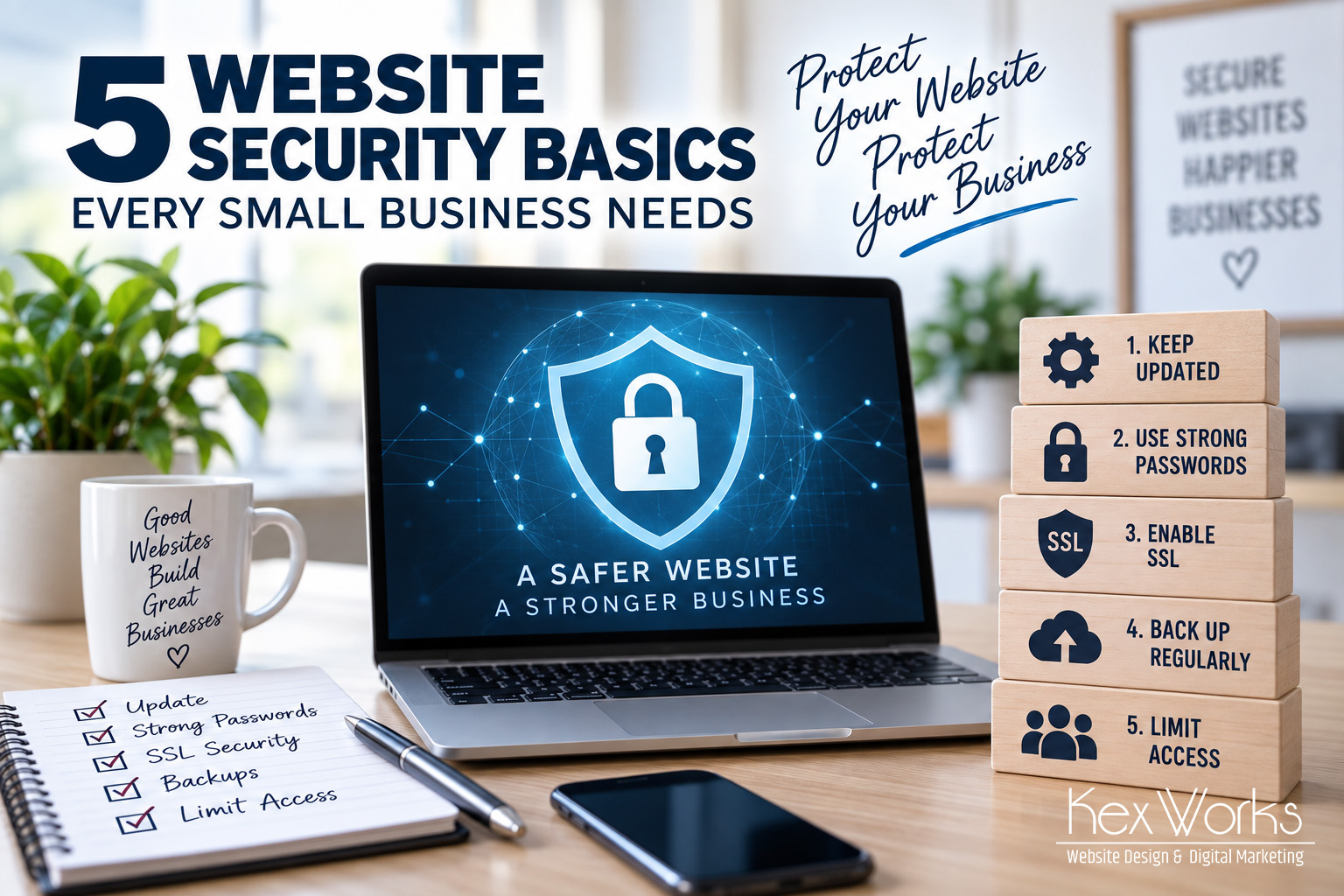
1. Keep Everything Updated
If your website runs on a platform like WordPress, it’s built from a collection of software: the core platform, a theme and a number of plugins. Each of those pieces gets updated periodically, often specifically to patch security vulnerabilities.
An outdated plugin is one of the most common ways small business websites get compromised.
Updates should happen regularly — and ideally, someone should be watching to make sure updates don’t break anything else on the site when they’re applied.
2. Use Strong, Unique Passwords (and a Password Manager)
“Password123” is not a security strategy.
Every login associated with your website — your hosting account, your website admin, your email — should use a long, unique password. Reusing the same password across multiple accounts means one breach elsewhere can compromise everything else.
A password manager makes this painless. It generates and stores strong passwords so you don’t have to memorize them.
3. Enable an SSL Certificate
That little padlock icon next to a website’s address bar means the connection between a visitor’s browser and your website is encrypted.
Beyond the security benefit, an SSL certificate is also a trust signal. Browsers actively warn visitors when a site doesn’t have one, and Google factors it into search rankings.
If your website address starts with “http” instead of “https,” this should be one of the first things you fix.
4. Back Up Your Website Regularly
If something does go wrong — a hack, a bad update, human error — a recent backup is the difference between a quick fix and a disaster.
Backups should happen automatically and be stored somewhere separate from your website’s hosting environment. A backup that lives on the same compromised server doesn’t do you much good.
Ask yourself honestly: if your website disappeared tomorrow, how much work would you lose? If the answer is “a lot,” it’s time to make sure backups are happening.
5. Limit Who Has Access
Every person with login access to your website is a potential entry point.
Former employees, old contractors, a web designer you haven’t worked with in years — if they still have access, that’s a risk sitting there unnoticed.
Periodically review who has access to your website, hosting account and domain registrar, and remove anyone who no longer needs it. Give each active user their own login rather than sharing one set of credentials, so you can track activity and revoke access individually if needed.
Security Isn’t a One-Time Project
Here’s the part that catches a lot of business owners off guard: website security isn’t something you set up once and forget about.
New vulnerabilities get discovered constantly. Software gets updated. Threats evolve. A website that was secure a year ago isn’t necessarily secure today.
This is exactly why ongoing website maintenance matters — not just for appearance, but as a real layer of protection for your business.
A Little Vigilance Goes a Long Way
None of this requires you to become a cybersecurity expert. It requires consistency: keeping software updated, using strong passwords, encrypting your connection, backing up your data and controlling who has access.
At KexWorks Web Design, website security is built into how we maintain sites for our clients — updates, backups and monitoring, handled quietly in the background so you don’t have to think about it.
If you’re not sure how secure your website currently is, contact KexWorks Web Design for a security check-up.